Orders
- One record per job: Draft → Awaiting Approval → Approved → Invoiced → Paid
- Status tabs with live counts and a search box
- Progress bar on each RO shows the date of every stage
- Balance due and total on every row
In the appOrders
ShopBayDesk runs estimates, approvals, inspections, booking and the bay schedule for small independent shops. BAR-ready approvals and optional estimate sections come standard, and nothing makes you click six times to add an oil filter.
No credit card. No sales call. Plans from $99/month.
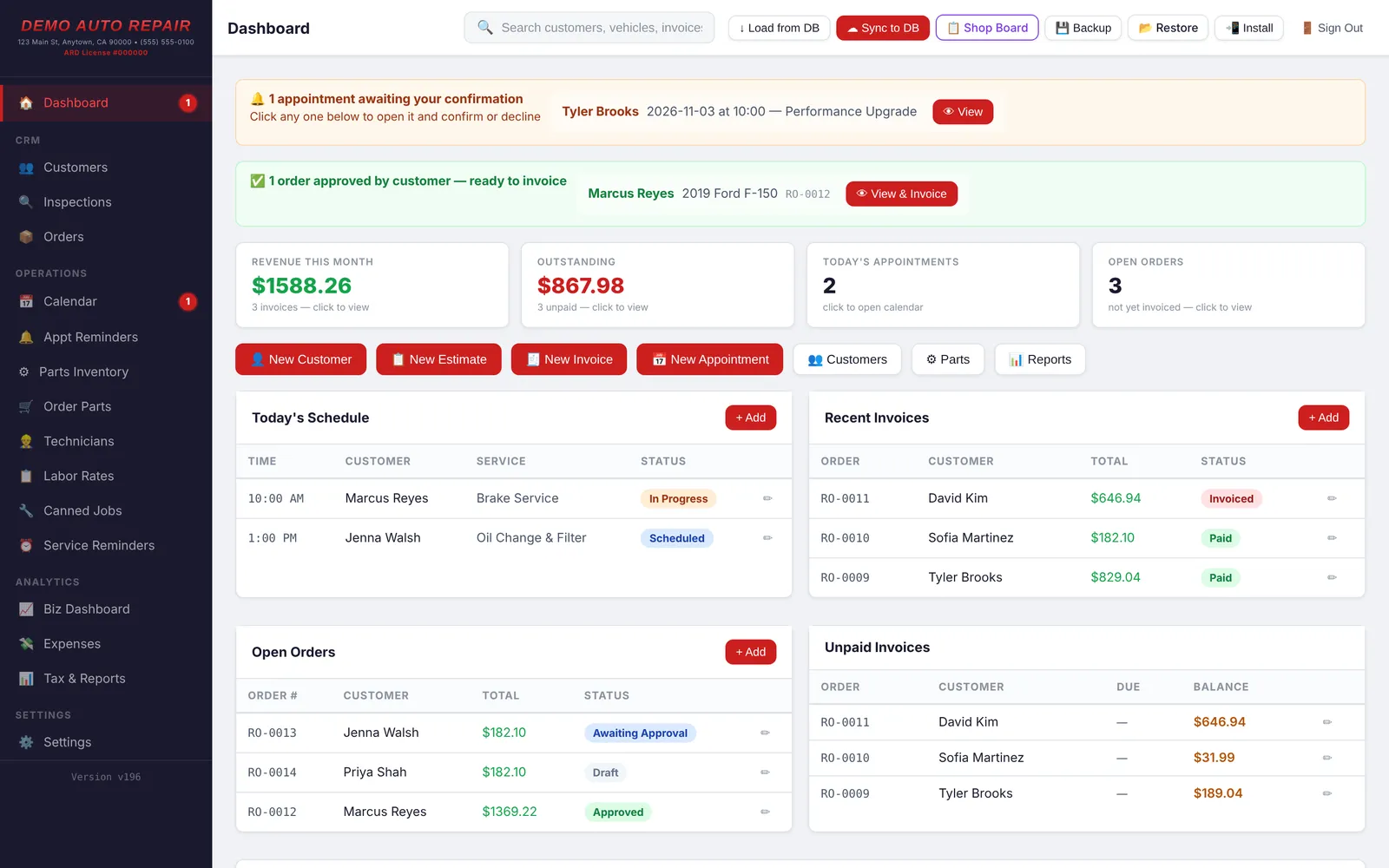
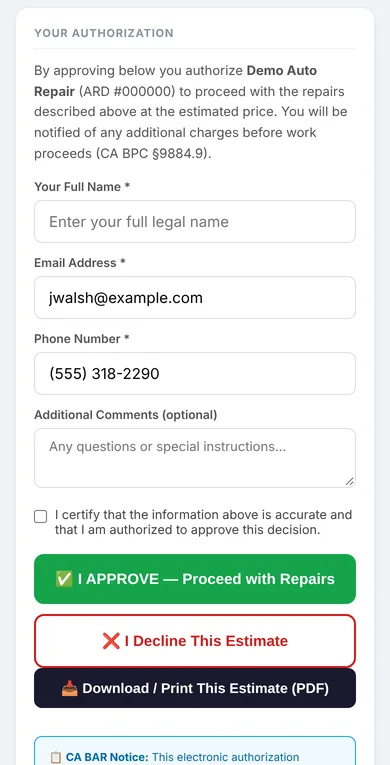
California requires a written estimate and the customer's authorization before work starts. ShopBayDesk builds that into every estimate link you text or email. Your future self, mid-inspection, says thanks.
ShopBayDesk helps you keep the paperwork right. Your shop is still responsible for following BAR rules.
Group the must-do work in required sections and put recommendations like rear shocks or an air filter in optional ones. The customer picks Yes or No on each, and the total only counts what they chose. Turns out people say yes more when you ask nicely and show the price.
Sections, canned jobs, optional work and live totals on one screen. Watch an estimate come together faster than a customer can say "ballpark?"
California's Bureau of Automotive Repair requires a written estimate, the customer's authorization before work starts, and records you can show an inspector. ShopBayDesk records each step with a time stamp as it happens. All the paper trail, none of the paper.
Every estimate prices labor and parts line by line, with section subtotals.
Electronic approvals save the date, time, name and the phone or email the link went to.
The customer can download a PDF of exactly what they signed.
Parts show as NEW unless you mark them used, rebuilt or reconditioned.
Your ARD number prints on estimates and invoices.
Everything ties to the RO number, and you can export it any time.
[Confirm: how the app records added work as its own approval]
[Confirm: the app keeps an unchangeable copy of the first estimate]
BAR does not approve or endorse any software. ShopBayDesk is built around these rules, and your shop is still responsible for following them. Rule summaries from BAR's "Write It Right" guide; dashed items need confirming in the app before launch.
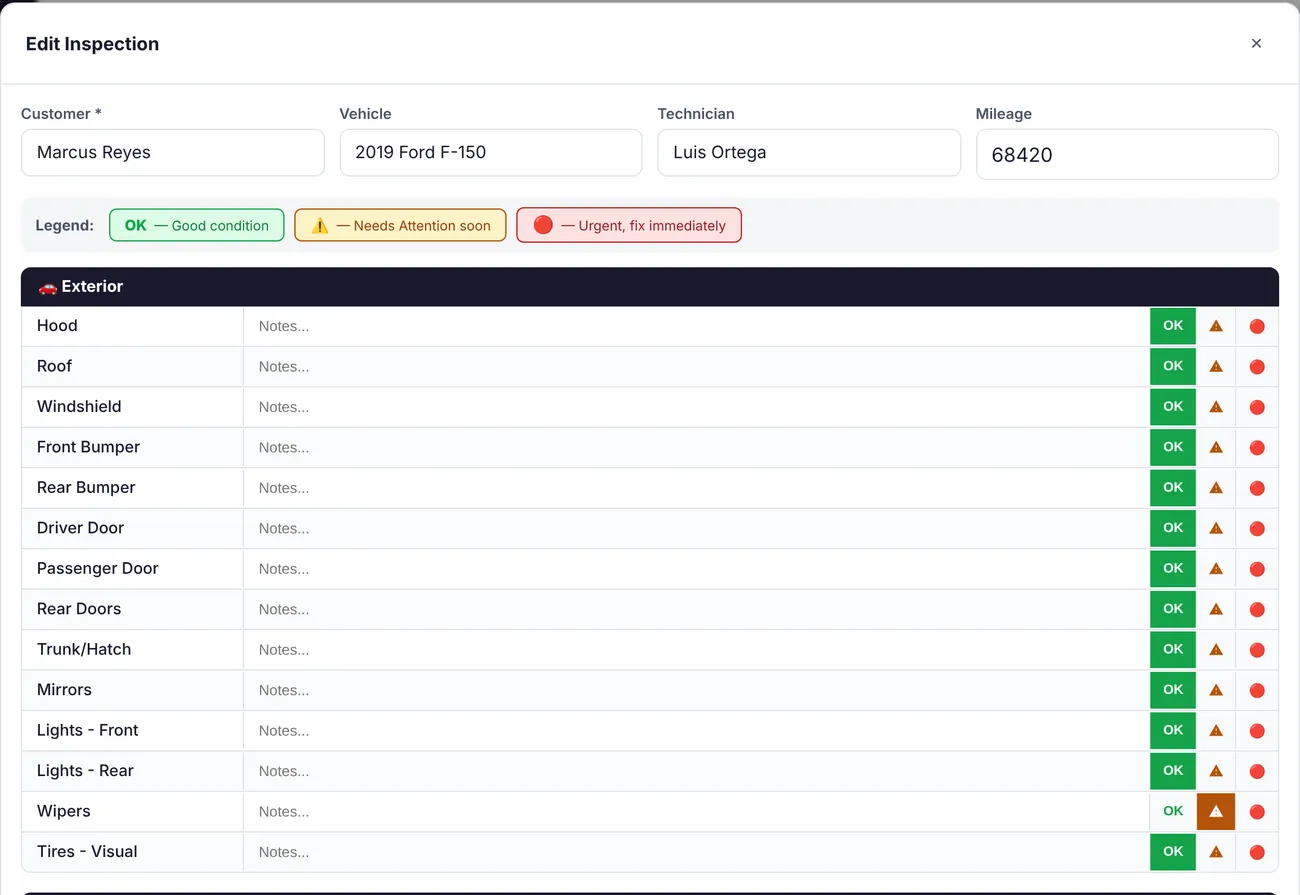
Techs work through exterior, under-hood and under-car checklists and mark each item OK, needs attention, or urgent. Photos compress automatically, and techs circle and label the problem right on the photo. The customer gets a report they can actually read on their phone, because "trust me, it's bad" isn't much of a sales pitch.
Share your booking page and customers choose a service, date and open time, then add their vehicle and contact info. New requests show on your dashboard to confirm or decline. Yes, even the ones sent at 11 p.m. on a Sunday, which is apparently when brakes start squeaking.
The dashboard is the first screen the front counter sees, ideally before the coffee kicks in. Here's a tour.
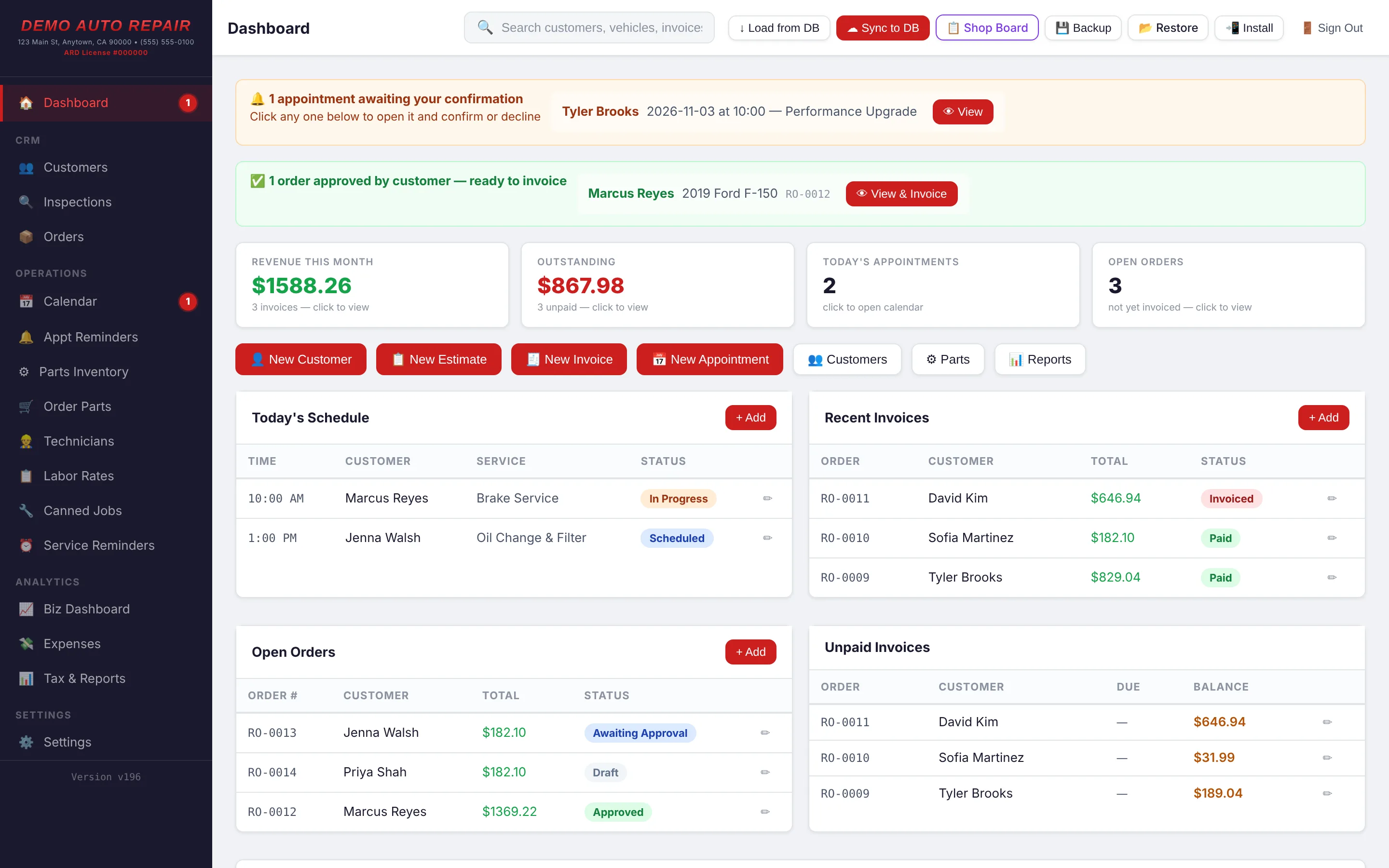
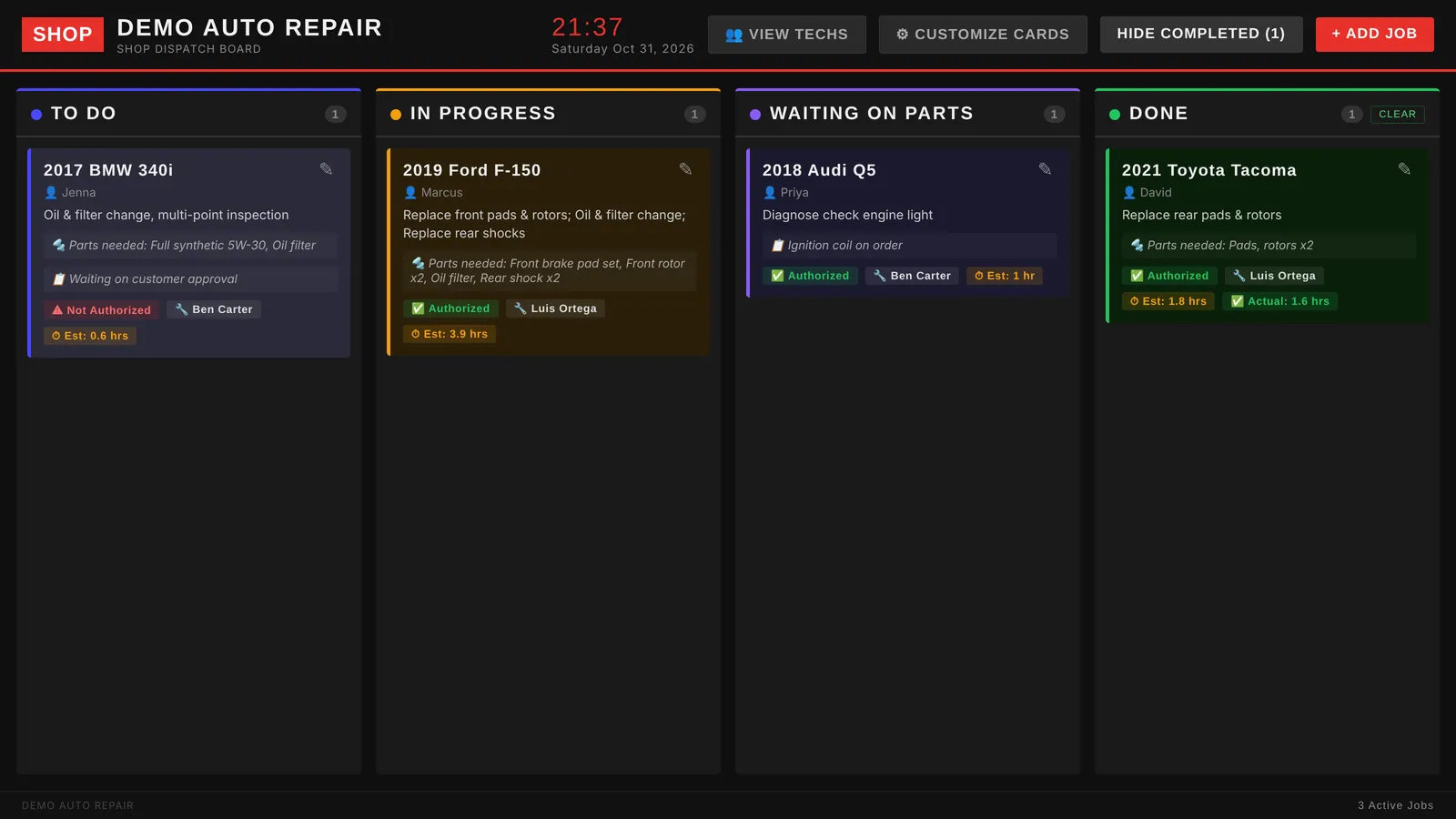
Put it on the TV in the shop. Jobs move across the board as they're approved, worked and finished, and every card shows its tech, hours, parts status and whether the work is authorized. Fewer "is the F-150 done yet?" shouts across the bays.
Each tech signs in on a phone or tablet and sees only what they need: the clock, their jobs for the day, and the inspection checklist. Nobody has to track down a service writer to ask what's next.
Write estimates, get approvals in writing, inspect with photos, book and schedule the bays, run the shop floor, and see what every job actually made. Here's what each part does.
Every job lives on one repair order (RO) that moves from draft to paid. Estimates, approvals and invoices are stages of the same record, not separate documents.
Estimates go to the customer by text or email link. What they approve, decline and sign is recorded with a time stamp for California BAR requirements.
A checklist the tech fills in on a phone or tablet. The customer gets a version they can read on their phone, with photos.
The calendar, the online booking page and reminders all work from the same appointments.
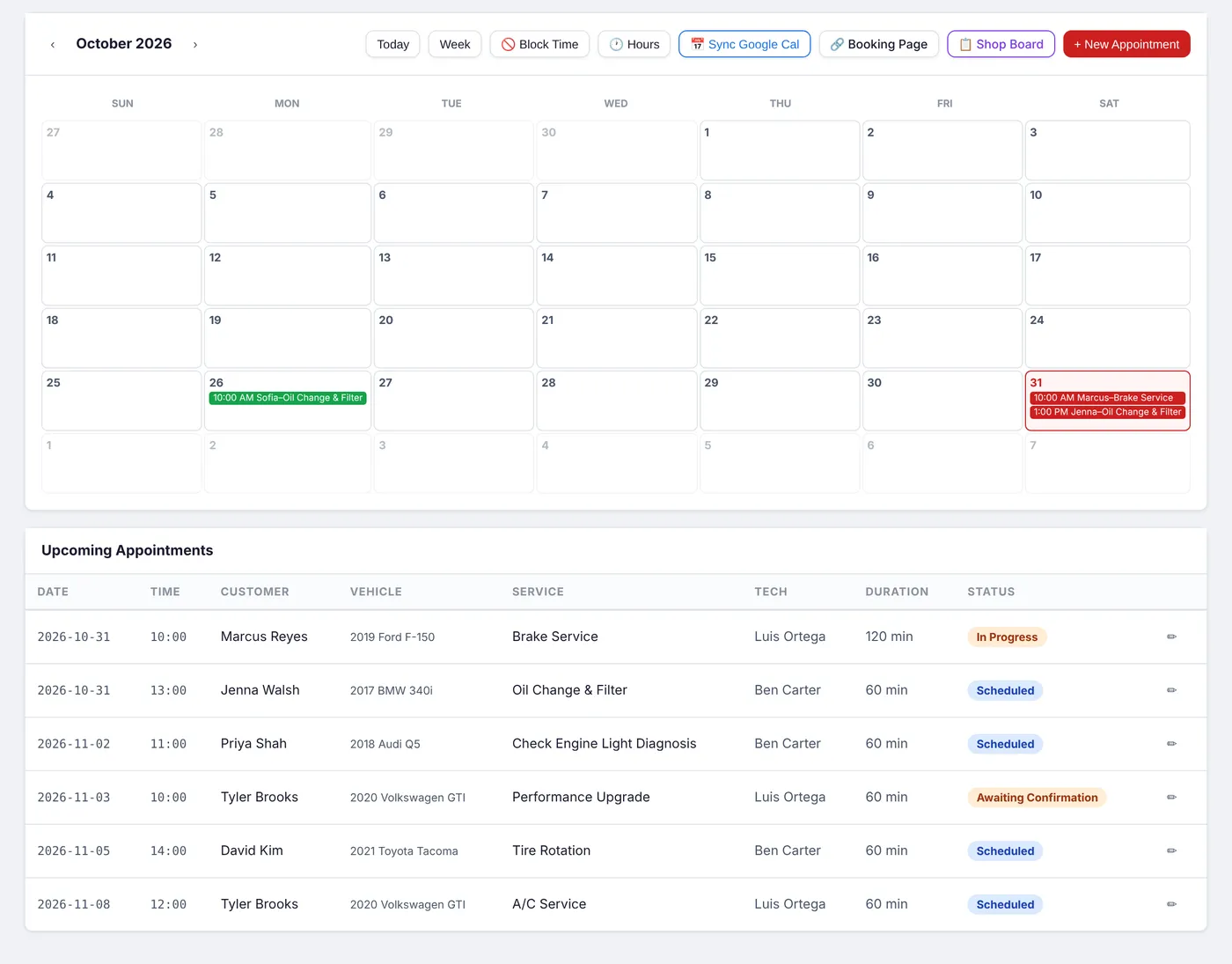
Tools for the people working on the cars: a portal for each tech and a board for the shop TV.
Keep track of what's on the shelf and what's on order for each job.
Invoicing, the daily dashboard, expenses and reports that subtract real costs.
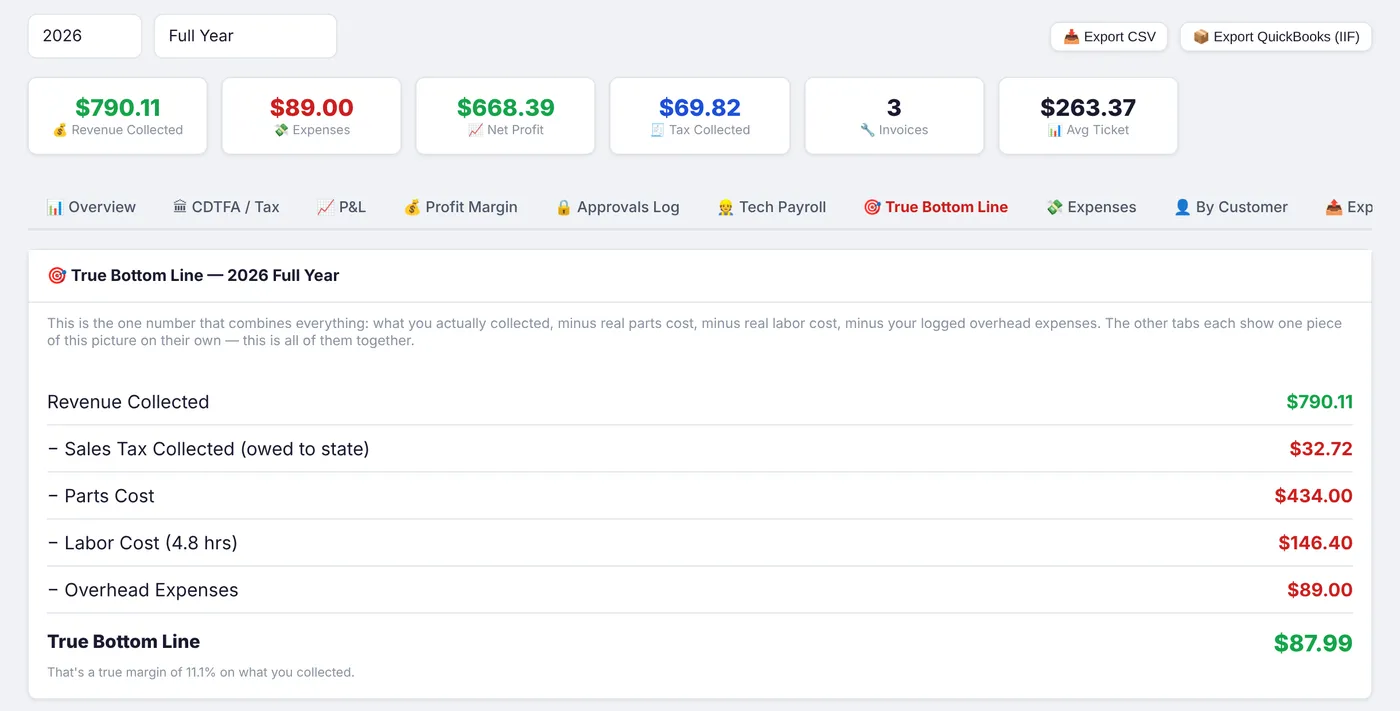
Customer records, search, backups and the settings behind everything else.
Every feature is included in the 14-day free trial.
No credit card to start, no demo call, no setup fee. Cancel any time, no hostage negotiation.
For a one- or two-tech shop getting off paper.
Billed monthly
For a busy shop that wants to run on numbers.
Billed monthly
For larger teams and owners who want help switching.
Billed monthly
Tech counts and which features sit in each plan are a starting proposal based on the site review's $99 / $199 / $299 range.
Join during the beta and keep your founding rate for as long as you stay. In return we ask for an honest review and one 30-minute call about how it's working.
Apply as a founding memberFounding rate: [##]% off any plan, locked in.
[Spots left counter: ## of 25]
Short, straight answers. No "it depends" unless it really does. Don't see yours? Ask it on the beta form.
ShopBayDesk started with a simple complaint: shop software was expensive, sold through demo calls, and made easy things take too many clicks. So we built the version we wished existed. Prices on the page, a free trial you can start yourself, and screens a service writer understands on day one.
Service writers and techs shouldn't need a training course to write an estimate.
You shouldn't need a sales call to find out what software costs.
Every approval, decline and invoice is time-stamped and tied to the RO.
[Bays, techs, specialties, what they used before, and what changed. Use real numbers from a beta shop that agrees to be named.]
[Founder name, role and a photo, if you want them. Keep it short and real.]
We're adding a small number of independent shops before launch. Beta shops get the founding-member rate, a free data move, and a direct line to the people building it.
We'll reply within one business day. [Set real response time]
Thanks, . In the live version this sends to your inbox and starts the onboarding emails. In this mockup nothing was sent, but we appreciate the enthusiasm.